How to Sell Products on Facebook Marketplace: A Step-by-Step Guide for Beginners
Facebook Marketplace has become one of the easiest ways to sell new or used items online. Whether you want to clear out old stuff, start a side hustle, or promote your small business, Marketplace offers a free, simple, and fast way to reach thousands of buyers in your area.
In this article, you’ll learn how to sell products on Facebook Marketplace step by step, plus some smart tips to attract more buyers and stay safe while trading online.
💡 What Is Facebook Marketplace?
Facebook Marketplace is a feature inside the Facebook app that allows users to buy and sell goods locally or nationwide. You can list almost anything — from clothes, phones, and furniture to cars and property.
Unlike creating a business website, Marketplace lets you start selling immediately, with no setup costs or technical skills required.
🪜 Step 1: Access Facebook Marketplace
You can use Marketplace on both mobile and desktop:
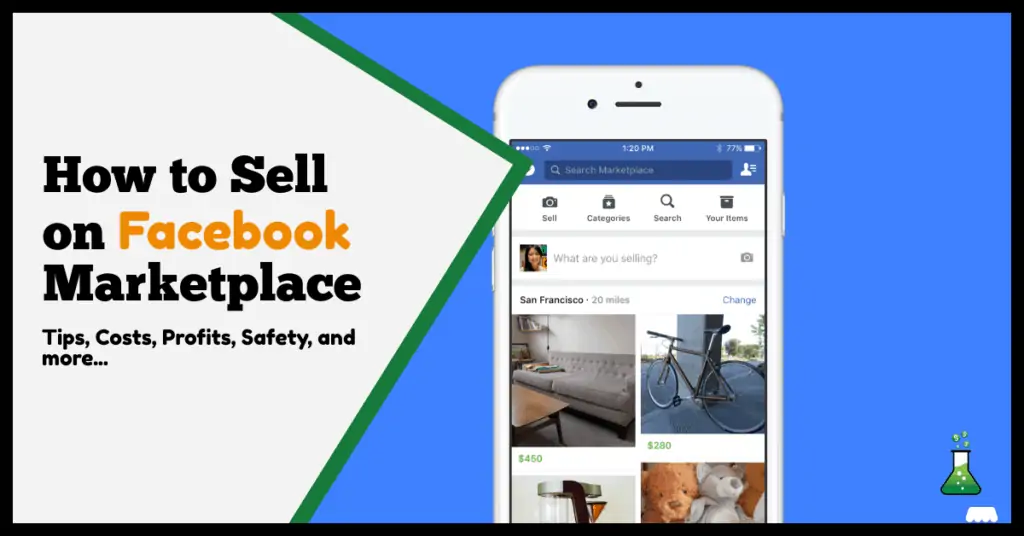
On mobile: Open the Facebook app and tap the store icon (🛍️) at the bottom or top of the screen.
On desktop: Go to facebook.com/marketplace and click “Create new listing.”
📸 Step 2: Create Your Listing
Click “Create New Listing” and choose what type of item you’re selling:
Item for Sale (general products)
Vehicle for Sale
Property for Rent/Sale
Job Listing
Add clear photos of your product. Use good lighting and multiple angles — listings with great pictures sell faster.
Enter important details:
Title: Short and clear (e.g., iPhone 12 – 128GB, Excellent Condition)
Price: Set a reasonable amount (you can research what similar items cost)
Category: Choose the right one (e.g., Electronics, Furniture, Fashion)
Description: Be honest and include all key details like size, condition, color, etc.
Location: Helps Facebook show your item to nearby buyers.
Click “Publish.”
Your listing will go live instantly and appear to people browsing nearby.
💬 Step 3: Respond to Buyers Quickly
When someone is interested, you’ll get a message in Messenger. Respond politely and provide more details if needed.
✅ Be clear about:
The price (if negotiable or fixed)
The item’s availability
Collection or delivery options
Fast replies build trust and help you close sales quickly.
💵 Step 4: Arrange Payment and Delivery
For local sales, it’s best to meet in a safe, public place — like a shopping mall or police station parking area.
If you’re selling something large (like furniture), the buyer can collect it from your home, but make sure you’re not alone.
For online or long-distance sales:
Use secure payment methods like bank transfer, EcoCash, or PayPal (avoid “friends & family” payments).
Only ship the product after payment is confirmed.
⚠️ Avoid scams: Don’t accept overpayments or share personal banking information.
🚀 Step 5: Boost Visibility
To reach more buyers:
Share your listing to Facebook Groups or your timeline.
Encourage buyers to rate your seller profile — positive ratings improve trust.
Update or relist unsold items every few days for better visibility.
Use attractive titles like “Brand New,” “Great Deal,” or “Limited Offer.”
If you have a small business, consider creating a Facebook Page and linking your products to Marketplace for extra exposure.